Reader’s Corner: Zoom, Themes & More
Posted: 17 Feb 2026, 09:42
Reader’s Corner: Answers to Common Questions
After our previous post about feedback, many of you wrote to us not only with new ideas and kind words, but also with small, thoughtful questions that help make reading smoother.
We loved your messages and how engaged you are with the details of Litera.
Today, we’ve gathered the most common questions and answered them all in one place.
Zoom and Text Size
A question we often hear:
“Why do some books have zoom buttons, while others don’t?”
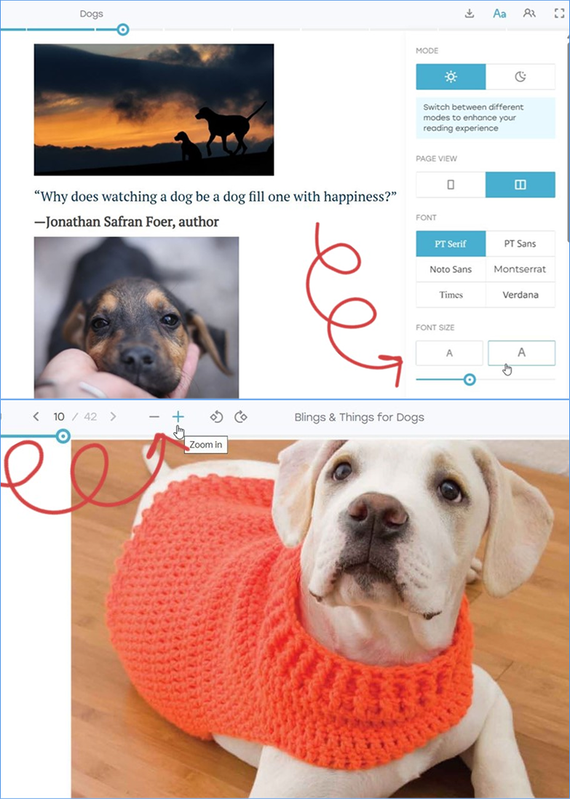
The zoom control — those familiar “+” and “–” icons — appears in page-based formats like PDF, DJVU, or CBZ.
Since these pages have a fixed layout, zooming adjusts the entire image.
By contrast, flow-based formats such as EPUB, FB2, HTML, or DOCX are flexible, adapting text to your screen size.
That’s why instead of zoom, you can adjust font size in the Aa panel, using the “A A” buttons or the slider.
It’s a more natural way to fine-tune your reading view without distorting the layout.
Theme Switching
“Where can I find the theme switch?”
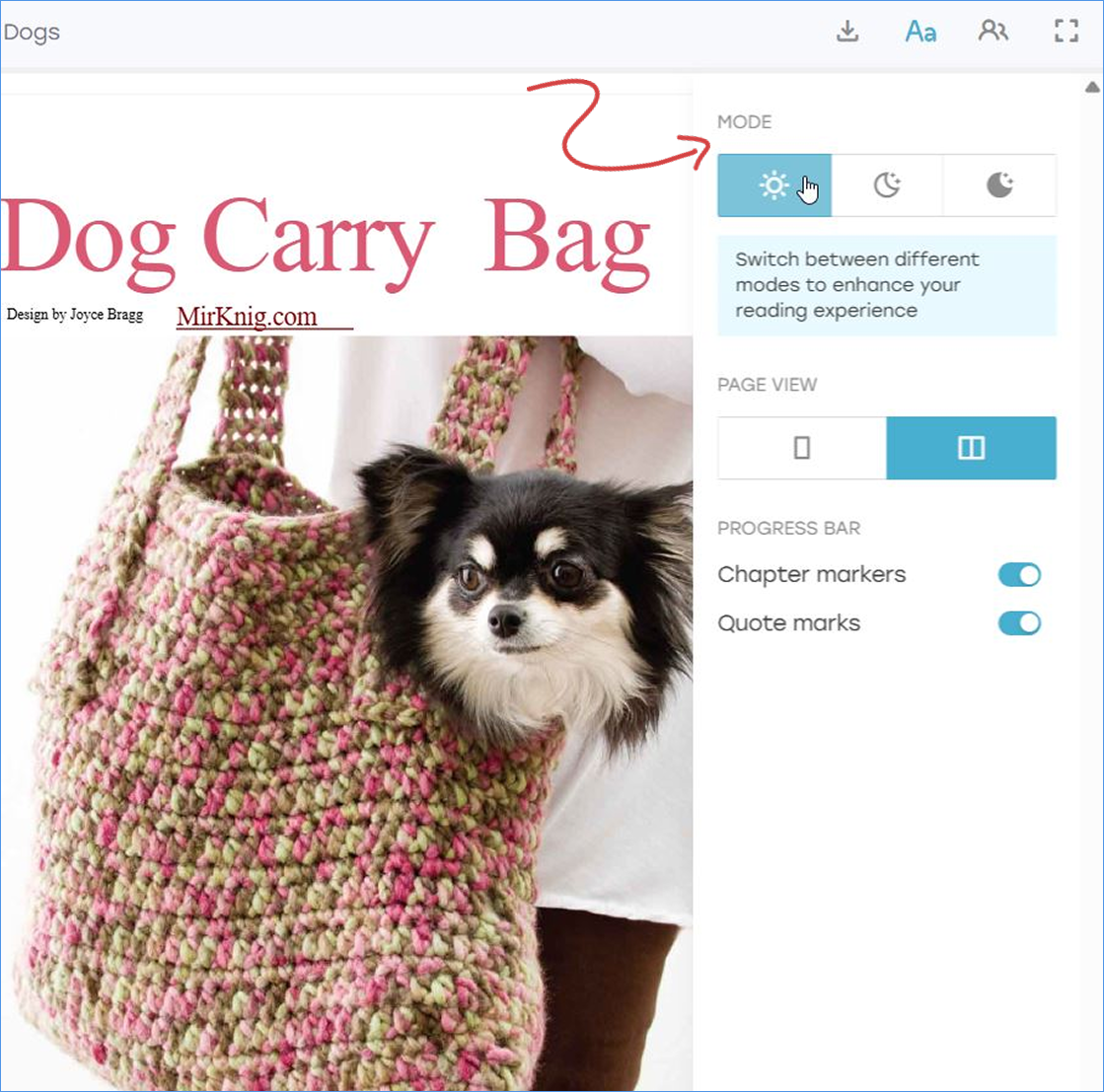
If you prefer reading in Light or Dark mode, the option is right there in the Aa panel — the very first buttons at the top.
Switching themes takes just one tap, instantly adjusting the look of your reading space to your surroundings.
Two-Page Mode and arrows
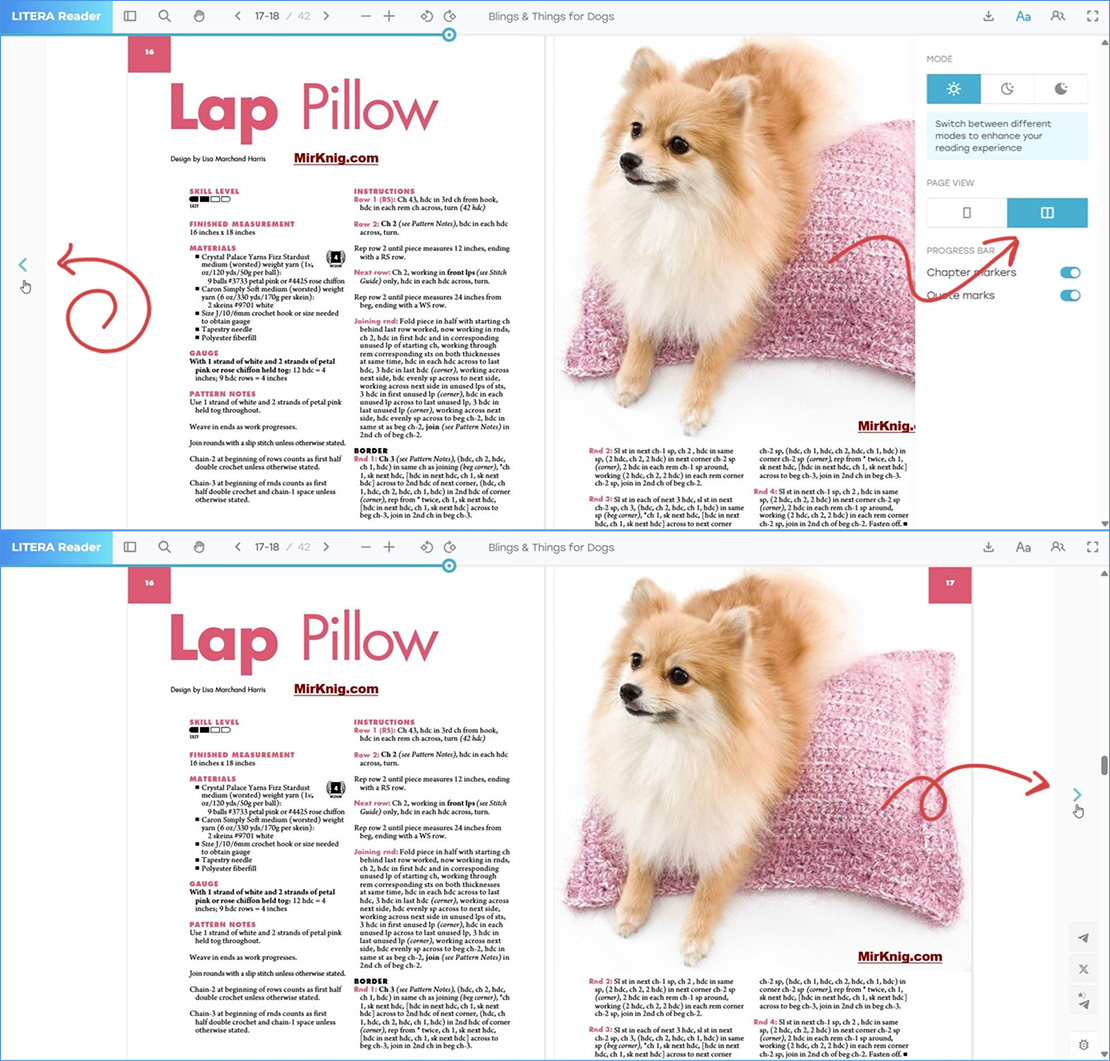
Inside the Aa panel, you can switch between a single-page and a two-page view. In the two-page mode, you can flip through pages using the keyboard arrows or! - the small on-screen arrows placed on the left and right sides of the page. In whatever way feels right for you.
Search in Flow-Based Books
Another frequent question:
“Can I search inside EPUB or FB2 books?”
For now, it works through Ctrl + F, but a built-in search feature is on our development roadmap.
We’ll share an update as soon as it’s ready.
And finally, thank you for your messages.
We truly read them all, and they always make our day brighter.
Here are a couple that recently warmed our hearts:
Together, we’re shaping what digital reading can feel like.
Something exciting is coming soon — stay tuned.
See you between the lines.
After our previous post about feedback, many of you wrote to us not only with new ideas and kind words, but also with small, thoughtful questions that help make reading smoother.
We loved your messages and how engaged you are with the details of Litera.
Today, we’ve gathered the most common questions and answered them all in one place.
Zoom and Text Size
A question we often hear:
“Why do some books have zoom buttons, while others don’t?”
The zoom control — those familiar “+” and “–” icons — appears in page-based formats like PDF, DJVU, or CBZ.
Since these pages have a fixed layout, zooming adjusts the entire image.
By contrast, flow-based formats such as EPUB, FB2, HTML, or DOCX are flexible, adapting text to your screen size.
That’s why instead of zoom, you can adjust font size in the Aa panel, using the “A A” buttons or the slider.
It’s a more natural way to fine-tune your reading view without distorting the layout.
Theme Switching
“Where can I find the theme switch?”
If you prefer reading in Light or Dark mode, the option is right there in the Aa panel — the very first buttons at the top.
Switching themes takes just one tap, instantly adjusting the look of your reading space to your surroundings.
Two-Page Mode and arrows
Inside the Aa panel, you can switch between a single-page and a two-page view. In the two-page mode, you can flip through pages using the keyboard arrows or! - the small on-screen arrows placed on the left and right sides of the page. In whatever way feels right for you.
Search in Flow-Based Books
Another frequent question:
“Can I search inside EPUB or FB2 books?”
For now, it works through Ctrl + F, but a built-in search feature is on our development roadmap.
We’ll share an update as soon as it’s ready.
And finally, thank you for your messages.
We truly read them all, and they always make our day brighter.
Here are a couple that recently warmed our hearts:
“Wow, I remember LITERA Reader was so rudimentary a few months ago and now it works amazingly well. Good job!”
“And thank you again for your efforts to make this platform work — you guys are the true warriors for the human future.”
Together, we’re shaping what digital reading can feel like.
Something exciting is coming soon — stay tuned.
See you between the lines.