LITERA Update: Smarter Quotes & Private Notes
Posted: 16 Feb 2026, 09:18
Hello book lovers,
We’re glad to share the next chapter with you!
You highlight a line, it sparks a thought — and now it’s easier than ever to capture, organize, and keep those thoughts close.
Here are the latest updates in LITERA Reader!
Notes for quotes:
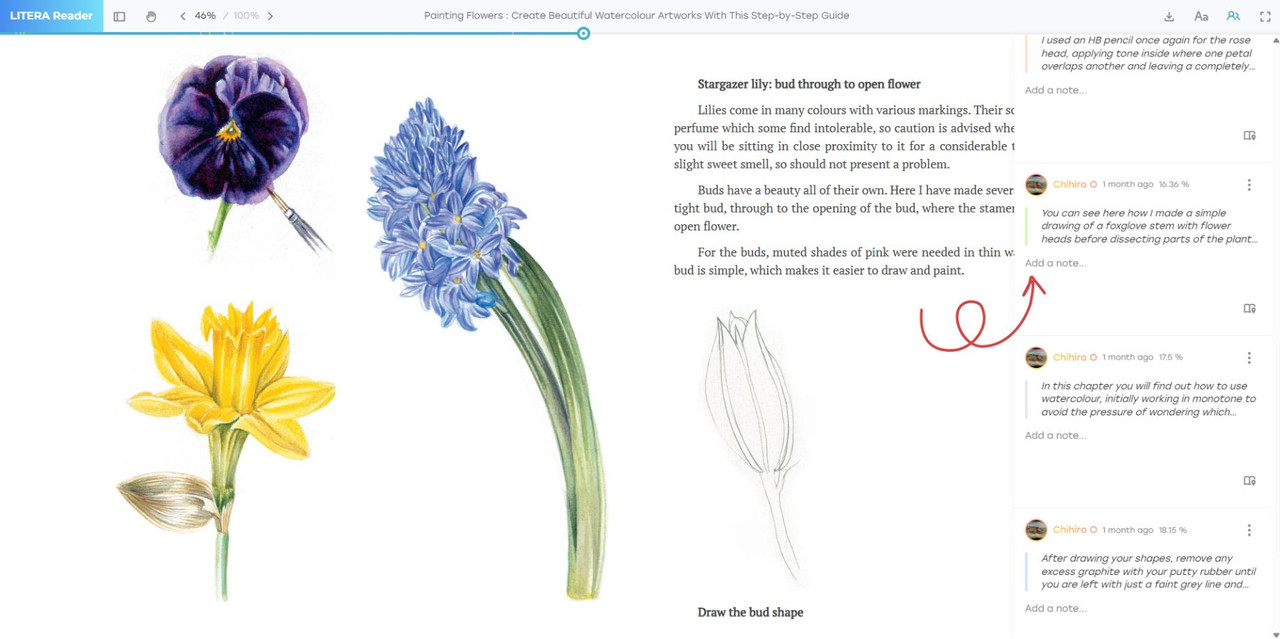
Sometimes a line hits differently, and you want to add your own words. Now you can: click the Social Activity Button ( ) on the navigation bar, right next to the text settings panel — and from there, add a new note or continue an existing one. Your reflections are instantly linked to the quote and always stay attached to the passages that matter most.
Quotes by color:
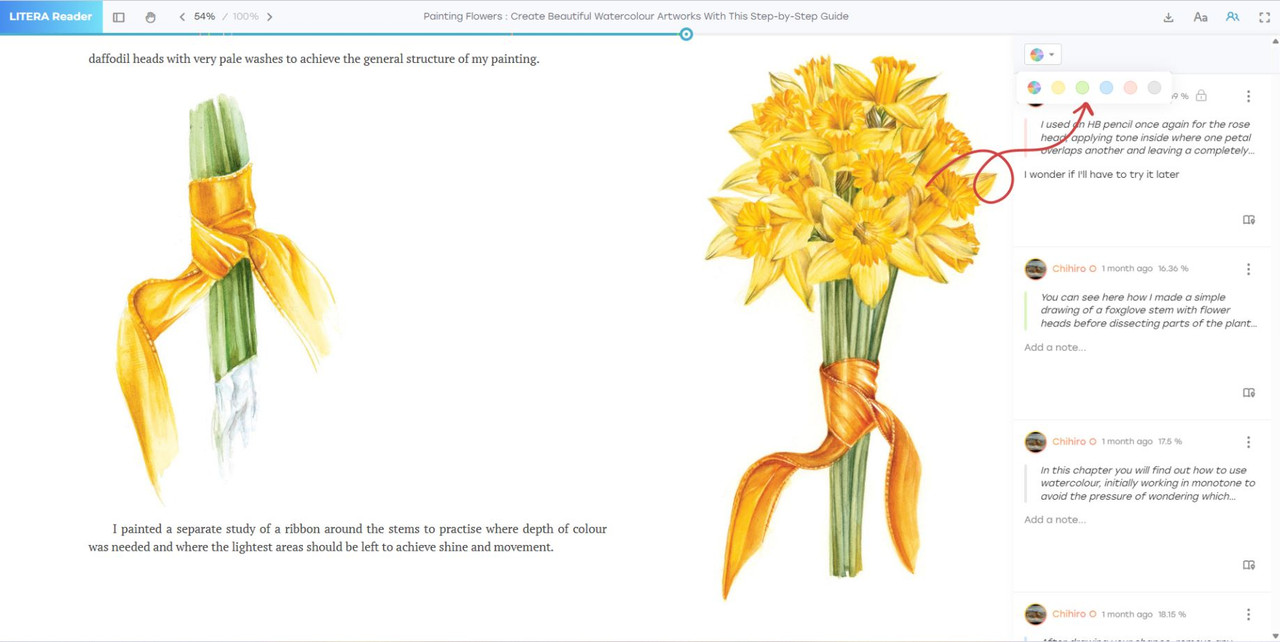
Highlights piling up? Now you can filter quotes by color using the Social Activity Button (). Want to see only your yellow study notes? Or the red sparks of creativity? One click — and everything is neatly sorted, ready to use.
Private quotes:
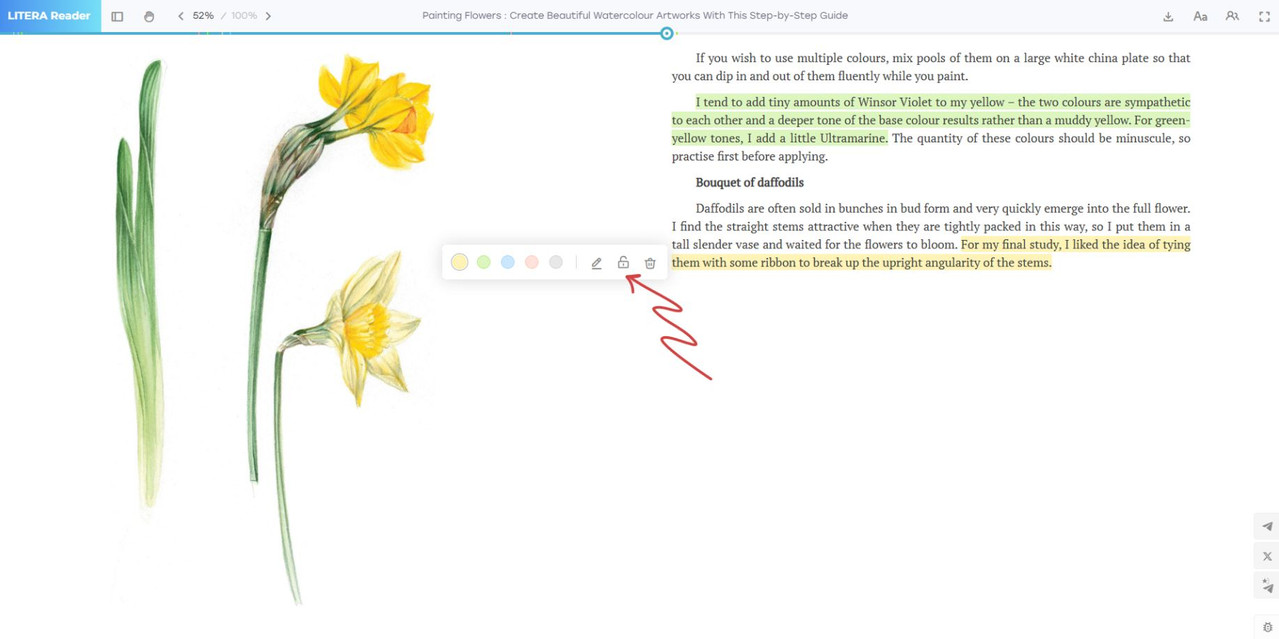
Some ideas are just yours — personal, private, meaningful. With this update, you can make any quote (together with its notes) private through the edit menu. It’s a small switch, but it gives you full control.
Every detail matters. With each update, LITERA Reader becomes more than just a place to read — it becomes a place to think, to create, to keep what’s important.
Highlight. Quote. Note. Keep it yours.
We’re glad to share the next chapter with you!
You highlight a line, it sparks a thought — and now it’s easier than ever to capture, organize, and keep those thoughts close.
Here are the latest updates in LITERA Reader!
Notes for quotes:
Sometimes a line hits differently, and you want to add your own words. Now you can: click the Social Activity Button (
 ) on the navigation bar, right next to the text settings panel — and from there, add a new note or continue an existing one. Your reflections are instantly linked to the quote and always stay attached to the passages that matter most.
Quotes by color:
Highlights piling up? Now you can filter quotes by color using the Social Activity Button (
). Want to see only your yellow study notes? Or the red sparks of creativity? One click — and everything is neatly sorted, ready to use.Private quotes:
Some ideas are just yours — personal, private, meaningful. With this update, you can make any quote (together with its notes) private through the edit menu. It’s a small switch, but it gives you full control.
Every detail matters. With each update, LITERA Reader becomes more than just a place to read — it becomes a place to think, to create, to keep what’s important.
Highlight. Quote. Note. Keep it yours.