Reading is personal. Everyone has their own rhythm, their preferred light, and a favorite font. With Litera, you can shape the look and feel of your book to make every page truly yours.
It all starts with a click on the Aa button. This opens up our most flexible feature—text customization. What began as a few basic options has grown into a full suite of tools designed around your personal reading experience.
Your settings are quick to set up and stay with you—your space, saved and ready.
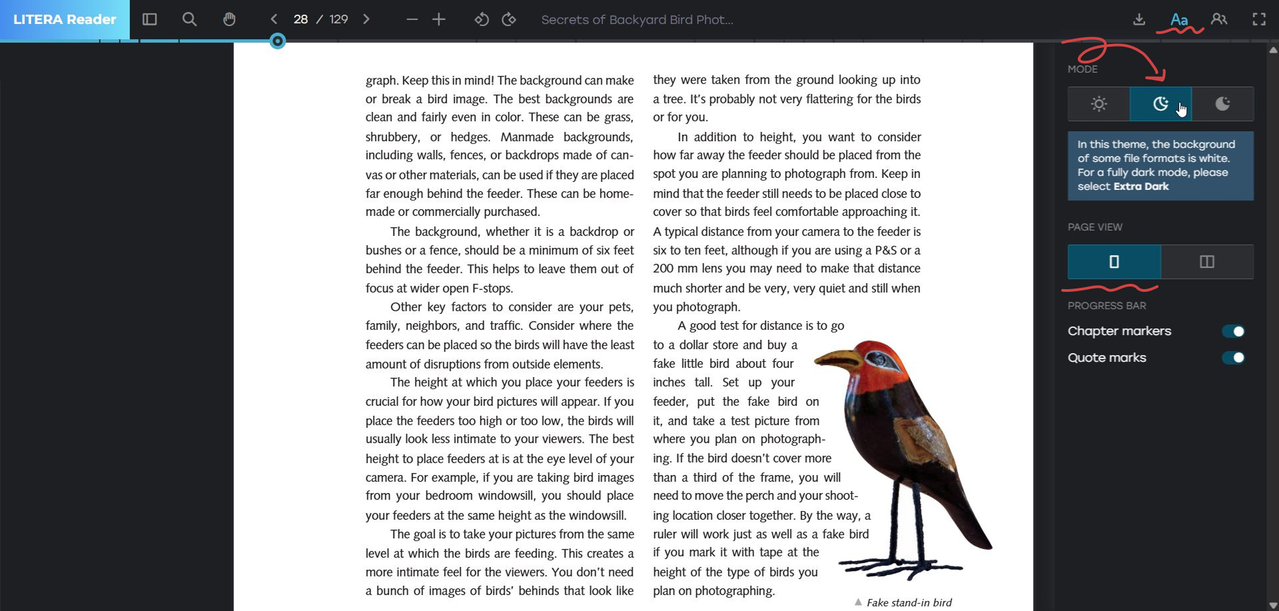
Let’s start with light mode.
Some love reading in morning brightness, others in the calm of the night. Here you can switch between Light and Dark modes. For total immersion, try Extra Dark (available for PDF and DJVU files), where the text seems to glow from within.
Next, choose your page view.
On desktop, you can enjoy a two-page layout, like holding a real book open, or a single-column view. On mobile, PDF and DJVU files use a single-page view, while other formats let you switch between vertical and horizontal scrolling. Litera adapts to your device and your comfort.
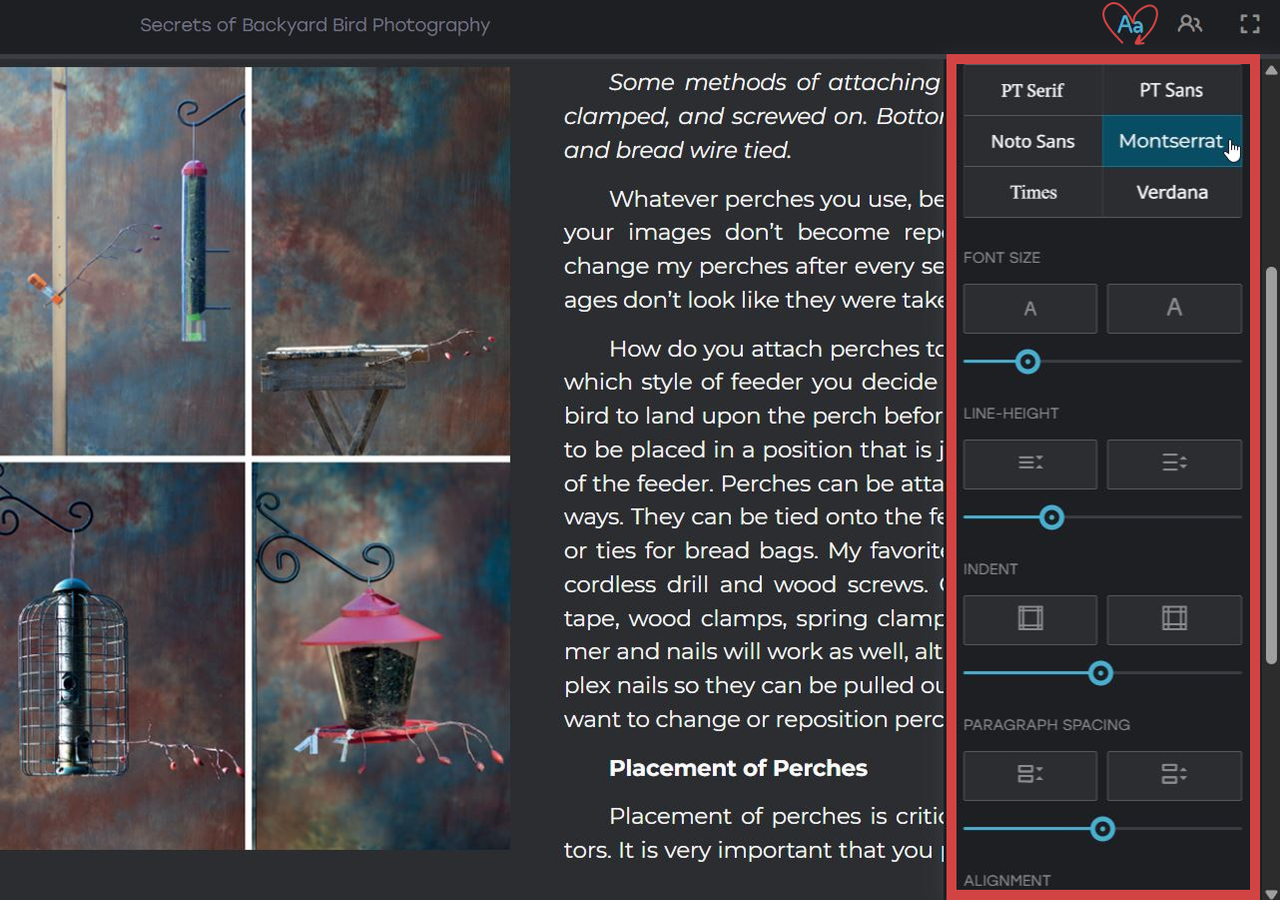
Now for fonts—where choice is part of the pleasure:
- PT Serif or Times for a timeless, printed-book feel.
- Noto Sans or Verdana for a clean, modern look.
Adjust the size and line spacing with a slider or use the larger/smaller text buttons.
A quick tip: when you increase the text size, add a little more space between lines—your eyes will thank you.
Prefer tidy pages? Turn on indentation. If you like your text to breathe, add space between paragraphs. For a polished, printed-page finish, choose justified alignment.
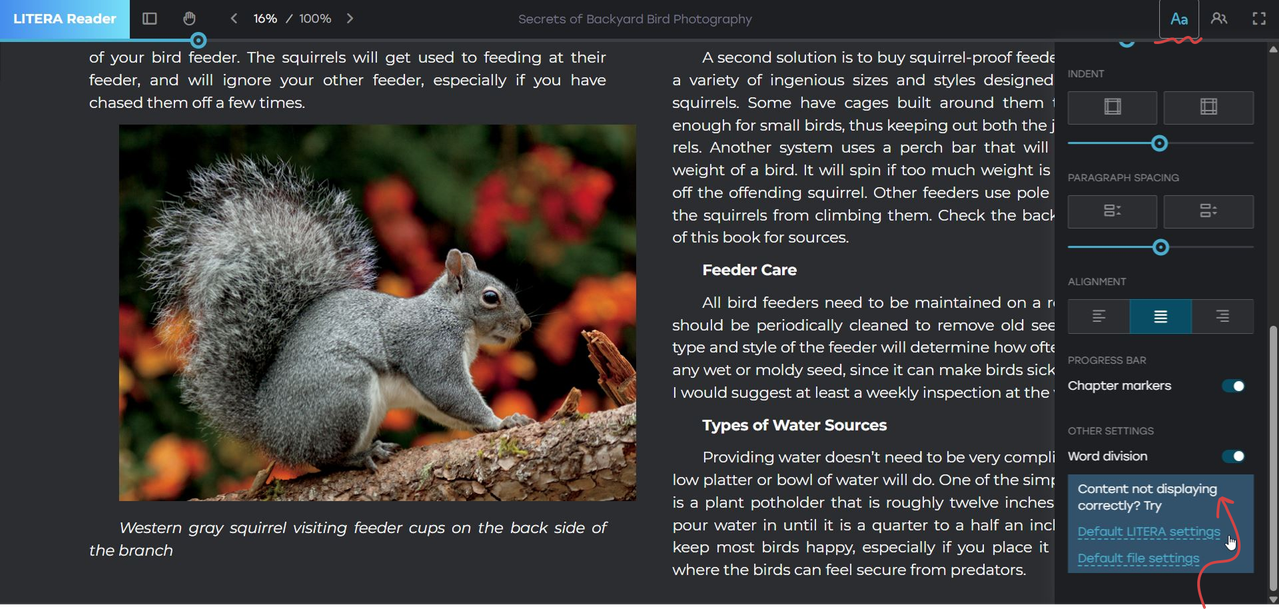
Reading on a narrow screen? Enable word division to keep the text neat without breaking the flow.
If anything looks off, a single click on Default LITERA or FILE settings will reset everything to normal.
A few favorite combinations from the Litera team:
- Night mode: Dark + Noto Sans + increased line spacing — perfect for late-night focus.
- Study mode: PT Sans + larger font + quote markers on — great for learning and annotating.
- Long reading: PT Serif + justified alignment + standard indent — calm, balanced, and easy to follow.
Try one of these presets, then tweak it your way.
Litera isn’t just a reading tool—it’s a space that bends to your rhythm, your light, your pace. Set it up once, and every book will feel uniquely yours.